

















































Графика ⇒ Clip Studio Paint EX 5.0.4
|
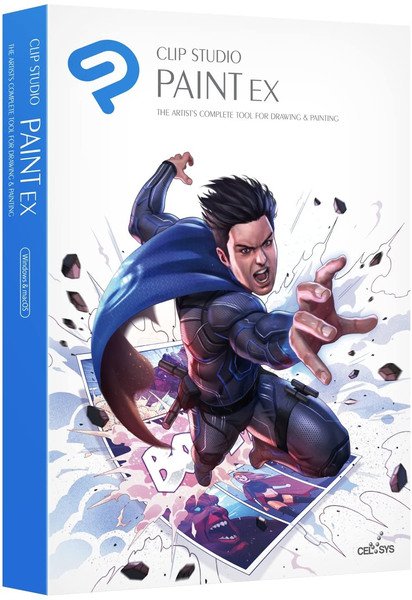
Clip Studio Paint - ведущее в мире программное обеспечение для создания комиксов и манги, которое предоставляет мощные инструменты для творчества. Он предназначен как для художников, желающих улучшить и усовершенствовать свои иллюстрации на бумаге и перьях, так и для художников, желающих завершить весь процесс создания манги и комиксов в цифровом виде. Набросать, нарисовать и раскрасить комиксы и мангу никогда не было так просто.
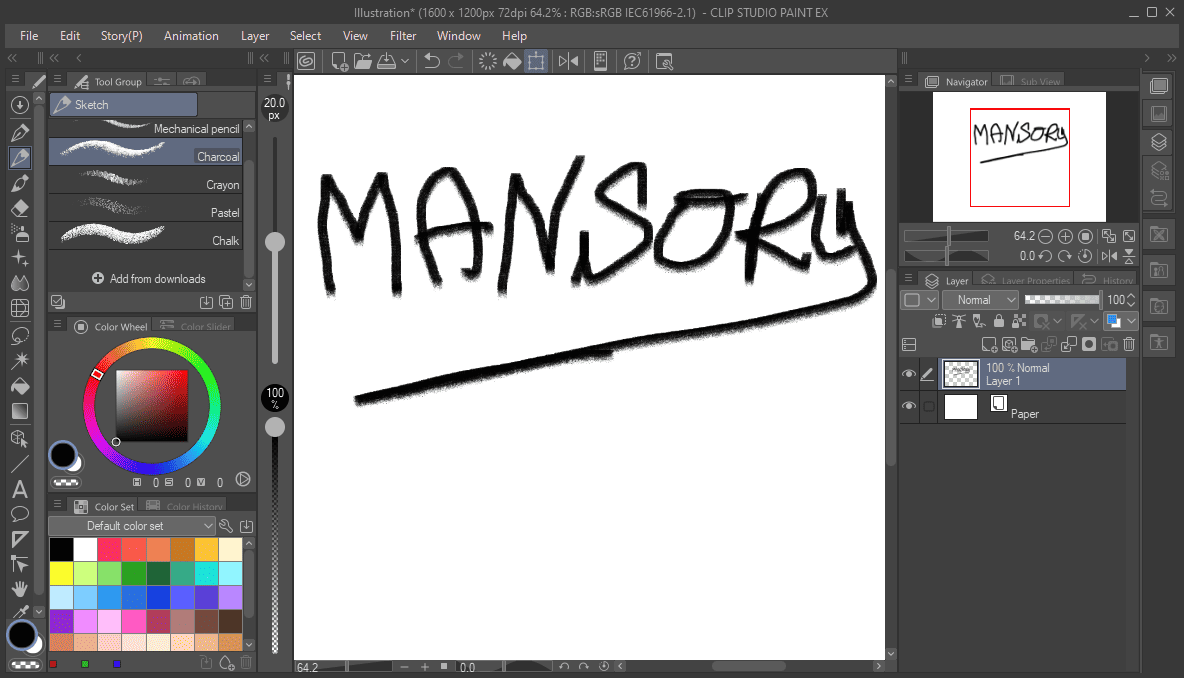
Ключевым усовершенствованием, представленным в Clip Studio Paint EX, является переработанный пользовательский интерфейс, который обеспечит еще более быстрый и удобный доступ к востребованным инструментам и функциям. Разработчики также обращают особое внимание на расширенные возможности настройки рабочего пространства. В том числе художники смогут создавать собственные текстуры поверхностей и экспериментировать с формами и размерами кистей. Вниманию пользователей предлагаются более удобные и мощные инструменты для раскрашивания черно-белых набросков и усовершенствованный инструмент Air Brush. Отдельного упоминания заслуживает расширенная поддержка векторной графики и трехмерных объектов. В основе продукта лежит новый 64-битный технологический движок. Владельцы современных компьютеров смогут по достоинству оценить поддержку большого количества оперативной памяти и многоядерных процессоров.
Что же может предложить нам это ПО:
• Полная поддержка графических планшетов. Функции зондирования пера и векторное картографирование позволят получить вам действительно уникальные ощущения и опыт работы, ведь процесс становится максимально приближен к рисованию на реальной бумаге.
• Совместимость. При желании вы можете использовать при работе объекты, созданные в других приложениях для создания манги, а после этого сохранить результат в любой интересующий вас формат для последующей дополнительной обработки.
• Технология Cel, позволяющая при помощи отдельных cels-страниц и прозрачных листов создавать иллюзию движения, что, бесспорно, является очень полезным.
Особенности:
• Cel animation support (frame-by-frame animation)
Also known as frame-by-frame or traditional animation, this technique makes an object or character appear to move on its own. The artist can draw individual cels (frames), which act as transparent sheets that can be layered, and create the illusion of movement when the series of cels is played as a continuous sequence.
• Animation timeline
The timeline provides granular control over timing and display adjustments to create fluid movement of the animations.
• Light table function
The light table illuminates pages, rendering them semi-transparent and making it easier to use multiple layers for reference, which is ideal for creating in-betweens (transitions between cels), and clean-line art for cels and illustrations.
• Onion skin display
Onion skinning is a technique used in creating animated cartoons and editing movies to see several cels at once, allowing the animator or editor to determine how to create or adjust an image based on the previous image in the sequence.
• Multiple export options
Drawings and animations can be exported as sequential images, GIFs, and movie formats.
• CLIP STUDIO PAINT EX Features
Formerly Manga Studio. CLIP STUDIO PAINT EX has all of the features of CLIP STUDIO PAINT PRO, professional story creation tools, as well as other special features, that make it the ultimate illustration tool for serious comic, manga and graphic artists.
• Coloring
Powerful coloring tool make CLIP STUDIO PAINT your all-in-one manga and comic creation solution. Choose from an abundance of preset colors, create custom color sets or blend colors naturally as if you were mixing them with your own fingers using the color blend options.
• Pens, Pencils, Brushes & Tools
Create original sketches using your mouse or draw naturally with a pen tablet. Draw using a suite of familiar tools including pens, pencils, brushes and selection tools. With vector mapping technology and smart pen pressure sensing, CLIP STUDIO PAINT gives you incredible sensation of drawing on paper.
• Panels
Save time by easily adding and customizing panels for your pages or create panels of all shapes and sizes using Bezier curves.
• Advanced Brush Effects
Simulate real work brushes with the new dedicated air brush which allows multiple air brush effects. Use the tone brush to create and share a wider array of visual effect.
• Vector Tools
Vector Toolkit allows maximum flexibility, speeds up production and gives you the ability to view the centerline of vectors makes spotting trouble areas in need of smoothing a breeze. Coupled with the vector snapping tools, artists are now able to achieve exactly the lines they want.
• New Advancements
Speed up your workflow with amazing advancements that include new layer effects like screen, overlay and multiply, even brushes can now have effects of their own.
• Templates
Design with attention to detail and save time on tedious projects with tons of ready-to-use page template options.
• Importing & Exporting
CLIP STUDIO PAINT imports and exports to common file formats including layered PSD files. Resize with no loss in quality.
• 3D Options
CLIP STUDIO PAINT EX now offers support for 3D objects and figures allows for reference and background materials. Manipulate 3D objects directly on the screen or use preset poses. Drag and Drop other 3D objects on the canvas.
• Compatibility
Backwards compatibility allows you to import all of your Manga Studio 4 EX and 4 Debut files including your .CPG page files and your .CST story (project) files into CLIP STUDIO PAINT PRO or CLIP STUDIO PAINT EX.
• Text
Advanced text allows adjustments to letter and word spacing, mixing of fonts, anti-aliasing, italics and underline options, line spacing and many more.
• Faster Than Ever
64-Bit Architecture & Multi-Core CPU Support makes Manga Studio faster than ever with the capability to handle high definition and multiple layer art projects even more smoothly.
• CLIP STUDIO PAINT Is Perfect for Comic Illustration
Adobe Photoshop has become the standard drawing and illustration tool, used in many industries, but it will not only cost you more, it's primarily a photo editing tool. Photoshop just doesn't have the tools and features that are ideal for comic illustration, CLIP STUDIO PAINT does.
• Multiple-Page Story Layout
Create your whole story with the Multiple-Page Story Layout. This allows manga and comic artists to streamline their creative process and easily access their story files in one convenient area (EX only).
Язык интерфейса: Multilanguage / English (русского нет)
ОС: Windows 10/11 (x64)
Скачать программу Clip Studio Paint EX 5.0.4 (563,9 МБ):
с Turbo.net | Katfile.ws | Nitroflare.com | Filespayouts.com |
Прямая ссылка на скачивание доступна только для группы: VIP-diakov.net
Скачать программу Clip Studio Paint EX v4.0.0 (495,6 МБ):
с Turbo.net | Katfile.com | Nitroflare.com | Filespayouts.com |
Прямая ссылка на скачивание доступна только для группы: VIP-diakov.net

|
Другие новости по теме:
|
|

Комментарии
Adobe Photoshop 2025 v26.11.7 + macOS + Portable
От: Alexachka
Добрый день. А на репак от MonkRus'a встанет? Он старые версии не обновляет, а сносить не хочется
Adobe Photoshop 2025 v26.11.7 + macOS + Portable
От: Carlos garcia
Nos podias ilustrar un poco sobre el tema. A mi me pasa lo mismo que a Oleg no entiendo por que se estan actualizando por dos vias diferentes.
Telegram Desktop Messenger 7.1.1 + Portable
От: mbl800
Спасибо.
USB Device Tree Viewer 4.7.4
От: mbl800
Спасибо.
4K Image Compressor Pro 26.0.0.0300
От: PRINCO
Отличное приложение протестировал его но мне больше нравится Bzzt! Image Editor оно лучше сжимает.
4K Image Compressor Pro 26.0.0.0300
От: PRINCO
Уважаемый Дъяков,несколько лет назад у ва на сайте было приложение Bzzt! Image Editor.Нельзя ли его возобновить ? Bzzt! Image Editor лучше сжимает
Uninstall Tool 3.8.2 Build 5762
От: bekar
diakov, Как всегда, всё исправлено! Спасибо за ваш труд! Удачи!
K-Lite Codec Pack 19.9.5 Mega/Full/Standard/Basic + Update
От: Shufad
Спасибо!
Adobe Photoshop 2025 v26.11.7 + macOS + Portable
От: diakov
это не старая версия, линейку развивают параллельно 2026.
Adobe Photoshop 2025 v26.11.7 + macOS + Portable
От: Олег
А зачем старую версию публиковать? Сейчас актуальна версия 27.9.1.
Display Hot Keys 4.1.1 + Portable
От: cenec
Интересно у кого столько мониторов , что нужно постоянно переключать их ? Если только в сервисе по ремонту мониторов .
EaseUS Partition Master 20.8.0 Build 202608010610 + WinPE
От: Jen Den
Merci Beaucoup.
Internet Download Manager 6.43.10
От: VAN7272
Как скачивать видео/аудио с YT при помощи IDM в Windows: 1. В вашем браузере (у меня это Microsoft Edge x64), заходим в: Параметры ->
Adobe Lightroom Classic 2026 v15.5
От: Pippo
Я удалил старую версию и установил 15.5, и сообщения об истечении срока действия продукта, кажется, исчезли. Спасибо!
CPU-Z 3.01
От: mbl800
Спасибо.