






















































Графика ⇒ Retouching Toolkit 2.0.1 for Adobe Photoshop
|
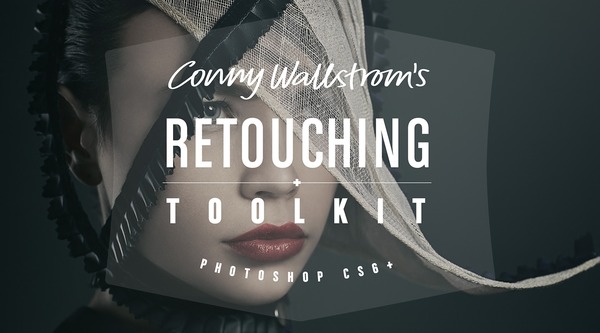
Retouching Toolkit - это набор функций профессионального инструмента Photoshop для ретушеров. Пакет содержит большой набор сценариев, действий и пресетов. Инструменты значительно ускорят и упростят рабочий процесс.
Особенности:
• Инновационный. Инновационные новые инструменты в сочетании с проверенными методами, разработанными профессиональными ретушерами.
• Для всех. Упрощает передовые методы, не «опуская» их. Нет никаких волшебных кнопок и торговых трюков.
• Все что тебе нужно. В комплекте со всем необходимым для создания высококлассной ретуши в Photoshop.

Наборы функций:
• GRADIENT MAP MAKER. This tool is designed to create perfect gradient maps for color corrections. It uses advanced logic to calculate the best possible color and hue values.
• AVERAGE COLOR. This tool creates a color layer from a selection, averaging the tones.
• STAMP CURRENT & BELOW. This tool will create a stamp of the current layer and the visible layers below it. It works the same as the built in Stamp Visible, except that it ignores anything above the selected layer.
• SMART LIQUIFY. This is a completely non-destructive liquify tool. You can edit any layer below the Smart Liquify layer as well as changing the actual liquify at any time.
• UPDATE SMART OBJECT. An innovative tool that allows you to update the contents of a smart object with a new Stamp Visible.
• SELECT PREVIOUS LAYER. This tool will activate the last selected layer allowing you to switch back and forth between two layers quickly.
• FREQUENCY SEPARATION. This is an improved version of the traditional frequency separation technique. (Three different methods are included in the toolkit.)
• BAND STOP (INVERTED HIGH PASS). This is an improved version of the traditional inverted high pass technique made famous by Natalia Taffarel.
• COPY TO ALL OTHER. This tool will copy the selected layers to all other open images.
• EYE HELP (QUALITY CONTROL). This is a package of help layers that can be enabled to serve as visual aids that highlight flaws and help to detect things that otherwise might be impossible to see.
• VANISHING POINT. This tool will create a set of vanishing point paths, which is useful when compositing different elements to make sure perspective and relative size is correct.
• GOLDEN SPIRAL/TRIANGLE/RATIO. These tools will create golden spiral/triangle/ratio custom shapes which are useful as a compositional guides.
Плагин поддерживает:
• Adobe Photoshop CC 2018
• Adobe Photoshop CC 2017
• Adobe Photoshop CC 2015.5
• Adobe Photoshop CC 2014
• Adobe Photoshop CC
• Adobe Photoshop CS6
Скачать плагин Retouching Toolkit 2.0.1 для Adobe Photoshop (8,8 МБ):
с Turbo.cc | Oxy name | Katfile.com |
Прямая ссылка на скачивание доступна только для группы: VIP-diakov.net

|
Другие новости по теме:
|
|

Комментарии
KMSAuto Helper 1.1.8
От: raum609
Спасибо!
Wondershare Recoverit 14.0.29.10
От: MagicSounds
Wondershare Recoverit 14.0.35.3
LibreOffice 26.2.4
От: raum609
Спасибо!
Adobe Photoshop 2025 v26.11.7 + macOS + Portable
От: diakov
да.
Adobe Photoshop 2025 v26.11.7 + macOS + Portable
От: Alexachka
Добрый день. А на репак от MonkRus'a встанет? Он старые версии не обновляет, а сносить не хочется
Adobe Photoshop 2025 v26.11.7 + macOS + Portable
От: Carlos garcia
Nos podias ilustrar un poco sobre el tema. A mi me pasa lo mismo que a Oleg no entiendo por que se estan actualizando por dos vias diferentes.
Telegram Desktop Messenger 7.1.1 + Portable
От: mbl800
Спасибо.
USB Device Tree Viewer 4.7.4
От: mbl800
Спасибо.
4K Image Compressor Pro 26.0.0.0300
От: PRINCO
Отличное приложение протестировал его но мне больше нравится Bzzt! Image Editor оно лучше сжимает.
4K Image Compressor Pro 26.0.0.0300
От: PRINCO
Уважаемый Дъяков,несколько лет назад у ва на сайте было приложение Bzzt! Image Editor.Нельзя ли его возобновить ? Bzzt! Image Editor лучше сжимает
Uninstall Tool 3.8.2 Build 5762
От: bekar
diakov, Как всегда, всё исправлено! Спасибо за ваш труд! Удачи!
K-Lite Codec Pack 19.9.5 Mega/Full/Standard/Basic + Update
От: Shufad
Спасибо!
Adobe Photoshop 2025 v26.11.7 + macOS + Portable
От: diakov
это не старая версия, линейку развивают параллельно 2026.
Adobe Photoshop 2025 v26.11.7 + macOS + Portable
От: Олег
А зачем старую версию публиковать? Сейчас актуальна версия 27.9.1.
Display Hot Keys 4.1.1 + Portable
От: cenec
Интересно у кого столько мониторов , что нужно постоянно переключать их ? Если только в сервисе по ремонту мониторов .