































Мультимедиа ⇒ Presonus Notion 6.8.2
|
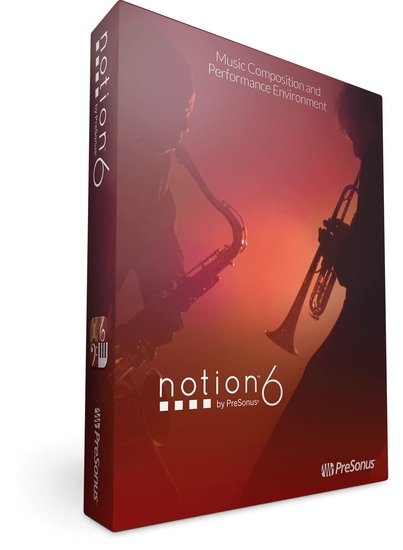
PreSonus Notion 6 — нотный редактор от компании PreSonus, который позволяет просто и быстро записывать свои идеи. Редактор представляет собой совокупность простого интерфейса и широких возможностей по редактированию музыкального материала. Notion сделан музыкантами для музыкантов. Если вам надоел Sibelius или вы ищите программу для записи своей музыки нотами, то Notion 6 будет отличным выбором.
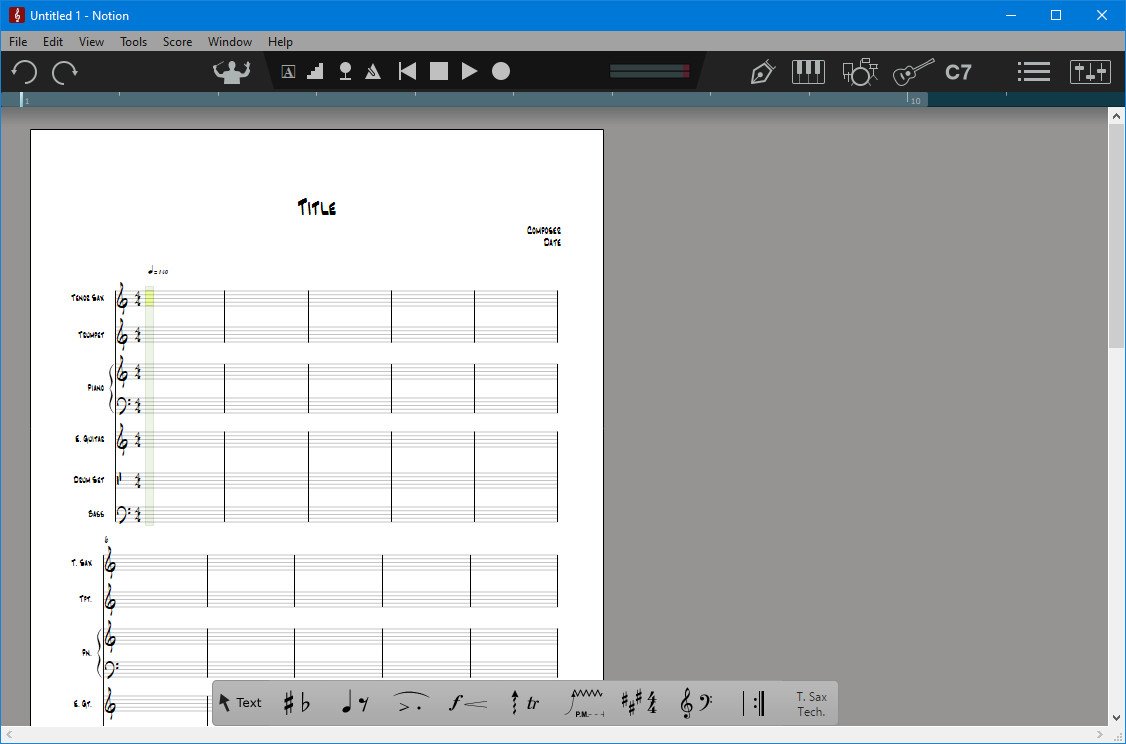
PreSonus Notion 6 известен выдающимися звуками, быстрым рабочим процессом, совместимостью и легкостью в использовании, и это единственное нотное программное обеспечение, которое работает с автономным iPad приложением. PreSonus Notion предлагает вам мощные возможности для озвучивания фильмов, и идеально подойдет для композиторов, исполнителей, продюсеров, аранжировщиков, дирижеров, педагогов и студентов.
Дополнение Brass Bundle позволит вам записать полнозвучный реалистичный брасс ансамбль, а с помощью Woodwind Bundle вы можете создавать реалистичные ансамбли деревянных духовых.
Что нового в Notion 6?
The new features and enhancements in Notion 6 represent the most popular requests from the Notion user community and feedback from users of other notation platforms who are looking to make the switch.
Notable improvements include: cross-platform handwriting recognition; new layout control and features for professional score output; drag to respace measures and systems; new instruments from Soundiron; new video window controls for faster scoring to picture; the new Notion Scores library, with over 100 great works; updated Music XML support for seamless transfer with other apps; MP3 export; MIDI over ReWire for improved integration with leading digital audio workstations; and unprecedented side-by-side workflow integration with Studio One Artist or Professional on the same computer or between multiple computers on the same network.
• Hear your music played by world-class musicians.
Notion gives you by far the best playback of any notation product out of the box, including the unmatched realism of orchestral and Steinway samples recorded by the London Symphony Orchestra at the legendary Abbey Road Studios, guitar samples performed by Neil Zaza, bass samples by Victor Wooten, and drum samples by Roy “Futureman” Wooten. All were painstakingly recorded by top engineers using the best equipment. You get a wide array of dynamics, articulations, and performance techniques. New instruments in version 6 include the Notion Harpsichord along with the Lakeside Pipe Organ and Olympus Micro Choir sounds from our friends at Soundiron. But that’s just the beginning of Notion’s playback features.
• Your music, in the studio or on the go.
Create a score in Notion for Mac or Windows PC; then continue to work on it on your Windows tablet or iPad. Or capture inspiration on the fly with your iPhone and transfer to your computer for in-depth editing. No other notation software can do this. With Notion and Notion for iOS you can seamlessly create, send, and open scores between Mac, Windows, and iOS devices and continue to work on your score, anywhere, anytime! No matter which platform you use, you get the high-quality playback sounds for which Notion is famous. Plus Notion 6 is a native 64-bit application on all platforms, so you get fast, efficient, and stable performance too.
• Interactive tools make entry fast and intuitive.
Enter notes with ease using Notion 6’s interactive fretboard, keyboard, and drum pad. It’s the fastest and most convenient way to capture pitches, drum parts, and guitar fingerings. You can even customize the number of guitar strings on the fretboard and the order of entry for each voice for the drum pad. Lyrics can be entered in directly or pasted from any digital source. Want to get your hands on your score? Notion 6’s new Powered by MyScript™ handwriting-recognition feature for Mac, Windows, and iOS lets you write directly into the score, automatically converting your input into digital notation.
Choose chords from a generous chord library and create your own chords. It’s simple to enter the chord name or voicing you want to appear in your score. Choose from standard chord symbols and fretted chord symbols and design custom chord symbols and diagrams. Chords remain on the fretboard for repeated entry, and the software can recall recently used chords. Chord symbols can be attached anywhere over empty measures, meaning lead sheets can be created in no time!
Notable improvements include: cross-platform handwriting recognition; new layout control and features for professional score output; drag to respace measures and systems; new instruments from Soundiron; new video window controls for faster scoring to picture; the new Notion Scores library, with over 100 great works; updated Music XML support for seamless transfer with other apps; MP3 export; MIDI over ReWire for improved integration with leading digital audio workstations; and unprecedented side-by-side workflow integration with Studio One Artist or Professional on the same computer or between multiple computers on the same network.
• Hear your music played by world-class musicians.
Notion gives you by far the best playback of any notation product out of the box, including the unmatched realism of orchestral and Steinway samples recorded by the London Symphony Orchestra at the legendary Abbey Road Studios, guitar samples performed by Neil Zaza, bass samples by Victor Wooten, and drum samples by Roy “Futureman” Wooten. All were painstakingly recorded by top engineers using the best equipment. You get a wide array of dynamics, articulations, and performance techniques. New instruments in version 6 include the Notion Harpsichord along with the Lakeside Pipe Organ and Olympus Micro Choir sounds from our friends at Soundiron. But that’s just the beginning of Notion’s playback features.
• Your music, in the studio or on the go.
Create a score in Notion for Mac or Windows PC; then continue to work on it on your Windows tablet or iPad. Or capture inspiration on the fly with your iPhone and transfer to your computer for in-depth editing. No other notation software can do this. With Notion and Notion for iOS you can seamlessly create, send, and open scores between Mac, Windows, and iOS devices and continue to work on your score, anywhere, anytime! No matter which platform you use, you get the high-quality playback sounds for which Notion is famous. Plus Notion 6 is a native 64-bit application on all platforms, so you get fast, efficient, and stable performance too.
• Interactive tools make entry fast and intuitive.
Enter notes with ease using Notion 6’s interactive fretboard, keyboard, and drum pad. It’s the fastest and most convenient way to capture pitches, drum parts, and guitar fingerings. You can even customize the number of guitar strings on the fretboard and the order of entry for each voice for the drum pad. Lyrics can be entered in directly or pasted from any digital source. Want to get your hands on your score? Notion 6’s new Powered by MyScript™ handwriting-recognition feature for Mac, Windows, and iOS lets you write directly into the score, automatically converting your input into digital notation.
Choose chords from a generous chord library and create your own chords. It’s simple to enter the chord name or voicing you want to appear in your score. Choose from standard chord symbols and fretted chord symbols and design custom chord symbols and diagrams. Chords remain on the fretboard for repeated entry, and the software can recall recently used chords. Chord symbols can be attached anywhere over empty measures, meaning lead sheets can be created in no time!

Системные требования:
• Windows 10 x64
• Intel® Core™ i3 / AMD A10 processor or better
• 1 GB RAM (2 GB or more recommended)
• 8GB free hard-drive space
Скачать программу Presonus Notion 6.8.2 (129 МБ):
с Turbobit.net | Katfile.com | Nitroflare.com | Frdl.to |
Прямая ссылка на скачивание доступна только для группы: VIP-diakov.net

|
Другие новости по теме:
|
|

Комментарии
Internet Download Manager 6.43.10
От: AlexDonetsk
10 версия порадовала. И "Готово " корректно работает, и ЮТЮБ качается. Надолго ли....
Uninstall Tool 3.8.2 Build 5762
От: bekar
Простите мне бежать ..Если что отвечу завтра! Ещё раз спасибо!
Uninstall Tool 3.8.2 Build 5762
От: bekar
Да..
Uninstall Tool 3.8.2 Build 5762
От: diakov
64 bit?
Uninstall Tool 3.8.2 Build 5762
От: bekar
При запуске всё в порядке, а потом при переключении например microsoft store и обратно они становятся без картинок, просто чёрные значки! Спасибо за
Uninstall Tool 3.8.2 Build 5762
От: diakov
Какие?
Adobe Photoshop 2026 v27.9.1 + Portable + MacOS
От: daomsk
...значение «Устройство» для параметра «Режим» на панели «Параметры» инструмента... - хотелось бы знать, где находятся эти «Параметры»?!
Uninstall Tool 3.8.2 Build 5762
От: bekar
Исчезают значки в программе..
FxSound 1.2.13.0
От: heavyg
.. Что самое интересное, то что в 80-ых, с катушечного магнитофона Сатурн-202-1, я через усилитель Вега-120 слышал и слышу тоже что и сейчас с компа,
Internet Download Manager 6.43.10
От: DesertFox
Well, if you don't have time to update and are clearly having problems dating back over the last four (4) versions, why are you here complaining?
Windows 11 Version 26H1 with Update [28000.2704]
От: diakov
Как это пропадает, что за бред?
CPU-Z 2.21
От: mbl800
Спасибо.
Windows 11 Version 26H1 with Update [28000.2704]
От: Lira
Нет, регистрация была всё время, и только недавно на днях пропала в Яндексе и Pale Moon. При регистрации в Яндексе, регистрация восстанавливается а в
Uninstall Tool 3.8.2 Build 5762
От: seagate
Текущая версия: Uninstall tool v.3.8.2 build 5762 Загруженная здесь версия: Uninstall tool v.3.8.2 build 5761
O&O ShutUp10 Premium Edition 3.4.1124
От: Vivamus
O&O ShutUp10 Premium Edition 3.4.1124 не даёт закрыт "Доступ приложений к вашему местонахождению" - постоянно его включает.