





























Мультимедиа ⇒ NewBlue Captivate Broadcast 5.9.240213
|
NewBlue Captivate Broadcast - мощный креативный видеоредактор для профессиональных вещателей в прямом эфире. Предоставляет неограниченный уровень динамической графики на каждый из 16 каналов 4K-NDI/SDI.
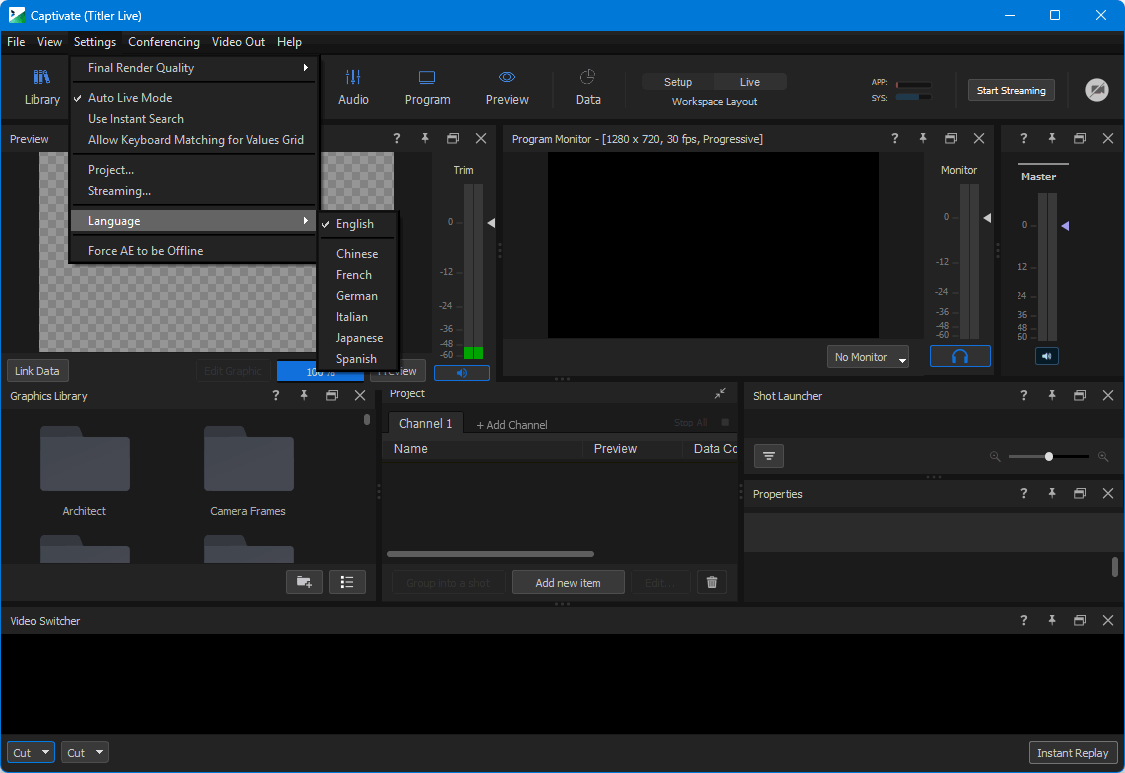
A powerful and easy full production suite for any live event.
Captivate Broadcast delivers affordable, broadcast-quality graphics and media overlays.
Broadcast.
Engage your audiences by visualizing data and information in professional, creative, eye-catching ways with Captivate Broadcast. Used worldwide by broadcasters of every size, Captivate Broadcast offers powerful, creative tools that deliver beautiful graphics for live broadcasts without all the ‘building’ that often bogs down less-flexible packages.
Electrify your broadcast with dynamic visuals.
Captivate Broadcast delivers unlimited layers of dynamic 3D animated graphics, including broadcast lower thirds, crawls, bugs, transitions, and scoreboards. Streamline your workflows and instantly elevate your production value with a more powerful, intuitive and affordable live broadcast graphics solution for sports, live media, corporate events, and more.
Deliver unlimited graphics.
Display unlimited layers of 3D animated graphics - per channel - on up to 16 channels of 4K-NDI® or 4K-SDI key/fill. Experience real-time playout and gain more control over your graphics with TriCaster® macro controls, automated graphic sequencing, data search tools, hotkey functions and more.
Leverage any design.
Import existing graphics from any design source, including Adobe® Photoshop® and After Effects® or customize ready-to-use designs in the Title Designer. Deliver 3D animated main titles, tables, lower thirds, crawls, bugs, scoreboards, statistics, social content and more.
Adobe After Effects importer.
Captivate Adobe After Effects integration gives you a new powerful way to create new high-end graphics, make use of existing AE projects, or just design graphics in a tool that you are more familiar with!
Create multiple graphics from just one.
Build numerous custom iterations of the same graphic with a built-in spreadsheet interface. Customize unlimited sets of text, images, and colors for a single graphic with a simplified workflow that rids the need to duplicate and re-edit your existing graphics.
Set up multiple graphics within a single Shot Layout
By combining multiple layers of graphics with a video switching choice into a single button press, Shot Layouts make complex production an effortless reality. Now, Shot Layouts also control mix levels!
PTZ camera support and controls.
Include NDI-enabled PTZ camera feeds directly into your project to pair with your media and graphic layers. Access pan, zoom, tilt, and focus settings with a preset system to manage all your camera shots and angles for your production.
Automated graphic scaling.
Create flexible graphics that resize intelligently to text length. Additionally, design accents and other visual elements can be set to reposition automatically so that the style of your graphic is never compromised.
Integrate with leading solutions.
Seamlessly work with leading NDI and SDI-based streaming solutions including Blackmagic Design®, NewTek™, Broadcast Pix™, EVS®, Lumantek, vMix®, Wirecast®, Roland®, Panasonic® and more.
ОС: Windows 10 and later (64-bit)
Скачать программу NewBlue Captivate Broadcast 5.9.240213 (890,8 МБ):
с Turbobit.net | Katfile.com | Nitroflare.com | Frdl.to |
Прямая ссылка на скачивание доступна только для группы: VIP-diakov.net

|
Другие новости по теме:
|
|

Комментарии
LibreOffice 26.2.4
От: raum609
Спасибо!
Adobe Photoshop 2025 v26.11.7 + macOS + Portable
От: diakov
да.
Adobe Photoshop 2025 v26.11.7 + macOS + Portable
От: Alexachka
Добрый день. А на репак от MonkRus'a встанет? Он старые версии не обновляет, а сносить не хочется
Adobe Photoshop 2025 v26.11.7 + macOS + Portable
От: Carlos garcia
Nos podias ilustrar un poco sobre el tema. A mi me pasa lo mismo que a Oleg no entiendo por que se estan actualizando por dos vias diferentes.
Telegram Desktop Messenger 7.1.1 + Portable
От: mbl800
Спасибо.
USB Device Tree Viewer 4.7.4
От: mbl800
Спасибо.
4K Image Compressor Pro 26.0.0.0300
От: PRINCO
Отличное приложение протестировал его но мне больше нравится Bzzt! Image Editor оно лучше сжимает.
4K Image Compressor Pro 26.0.0.0300
От: PRINCO
Уважаемый Дъяков,несколько лет назад у ва на сайте было приложение Bzzt! Image Editor.Нельзя ли его возобновить ? Bzzt! Image Editor лучше сжимает
Uninstall Tool 3.8.2 Build 5762
От: bekar
diakov, Как всегда, всё исправлено! Спасибо за ваш труд! Удачи!
K-Lite Codec Pack 19.9.5 Mega/Full/Standard/Basic + Update
От: Shufad
Спасибо!
Adobe Photoshop 2025 v26.11.7 + macOS + Portable
От: diakov
это не старая версия, линейку развивают параллельно 2026.
Adobe Photoshop 2025 v26.11.7 + macOS + Portable
От: Олег
А зачем старую версию публиковать? Сейчас актуальна версия 27.9.1.
Display Hot Keys 4.1.1 + Portable
От: cenec
Интересно у кого столько мониторов , что нужно постоянно переключать их ? Если только в сервисе по ремонту мониторов .
EaseUS Partition Master 20.8.0 Build 202608010610 + WinPE
От: Jen Den
Merci Beaucoup.
Internet Download Manager 6.43.10
От: VAN7272
Как скачивать видео/аудио с YT при помощи IDM в Windows: 1. В вашем браузере (у меня это Microsoft Edge x64), заходим в: Параметры ->